
Websites that live in git
Gitt One Pages is a site-building technology: your content lives in a git repository, a standard Docker image turns it into a fast static website, and CI ships it to any hosting — including yours. Describe a site in a chat, and it is live in minutes.
POWERS THE WEBSITES OF








THE SITE EDITOR
Describe a site. Get a site.
A name and a few sentences are enough: the editor creates a repository, writes the first version of the content, builds it and hands you a live address with a certificate — in minutes, not weeks. From then on you change the site by talking to it.
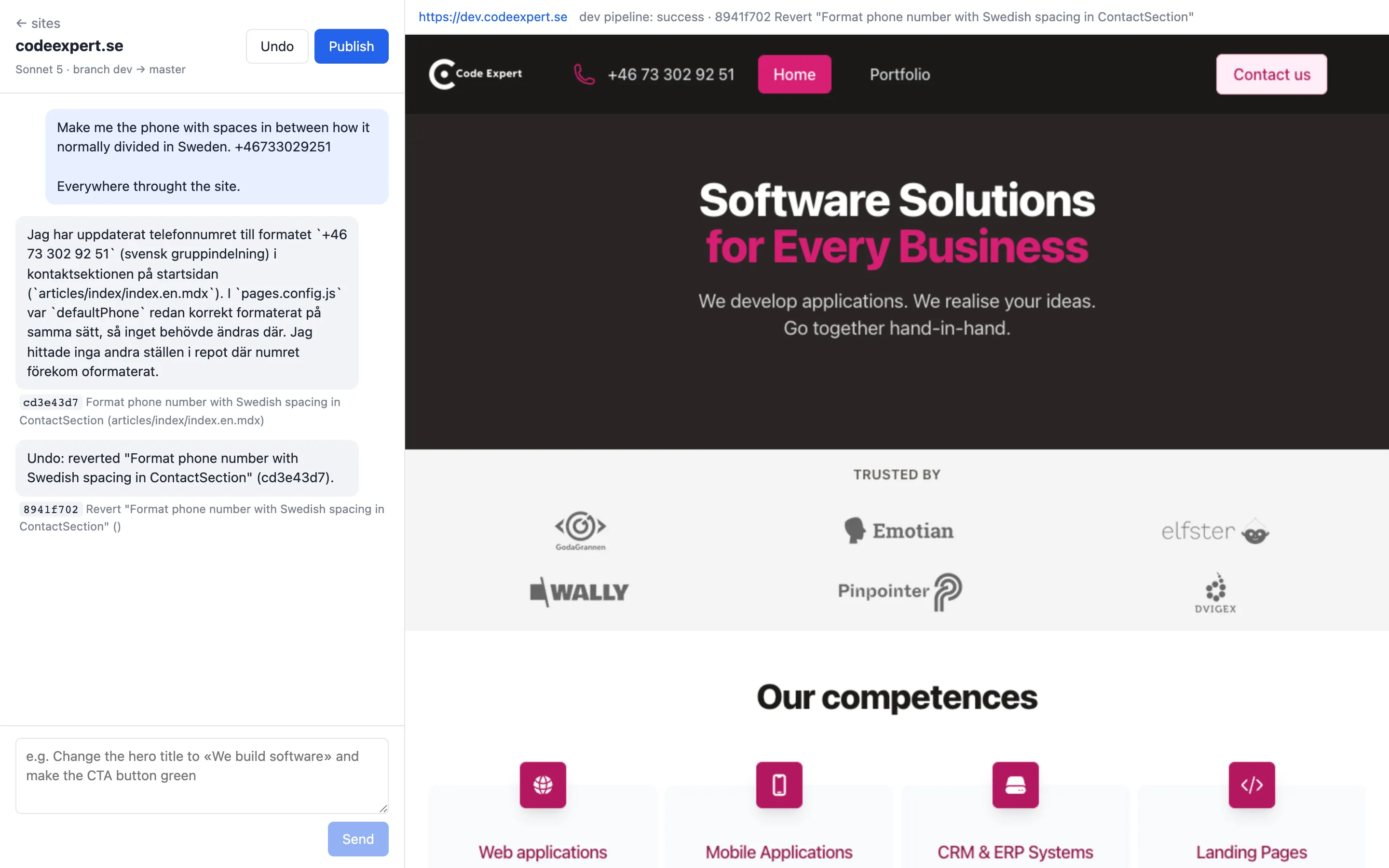
Create from a description
Say what the site is about, who it is for and which pages it needs. The first version appears on its own address, ready to be shown.
Edit in a chat
«Make the phone number Swedish-style everywhere», «add a pricing section» — every request becomes a commit you can read.
Preview before anyone sees it
Every change lands on a private copy of the site first. You look, you decide.
Publish and Undo
One button puts the change on the public site, another takes the last change back. Nothing is ever lost: it is git underneath.
Two kinds of website, one production line
Whatever you publish, the engine arrives as a ready-made builder image and your repository stays down to content plus a few lines of Dockerfile.
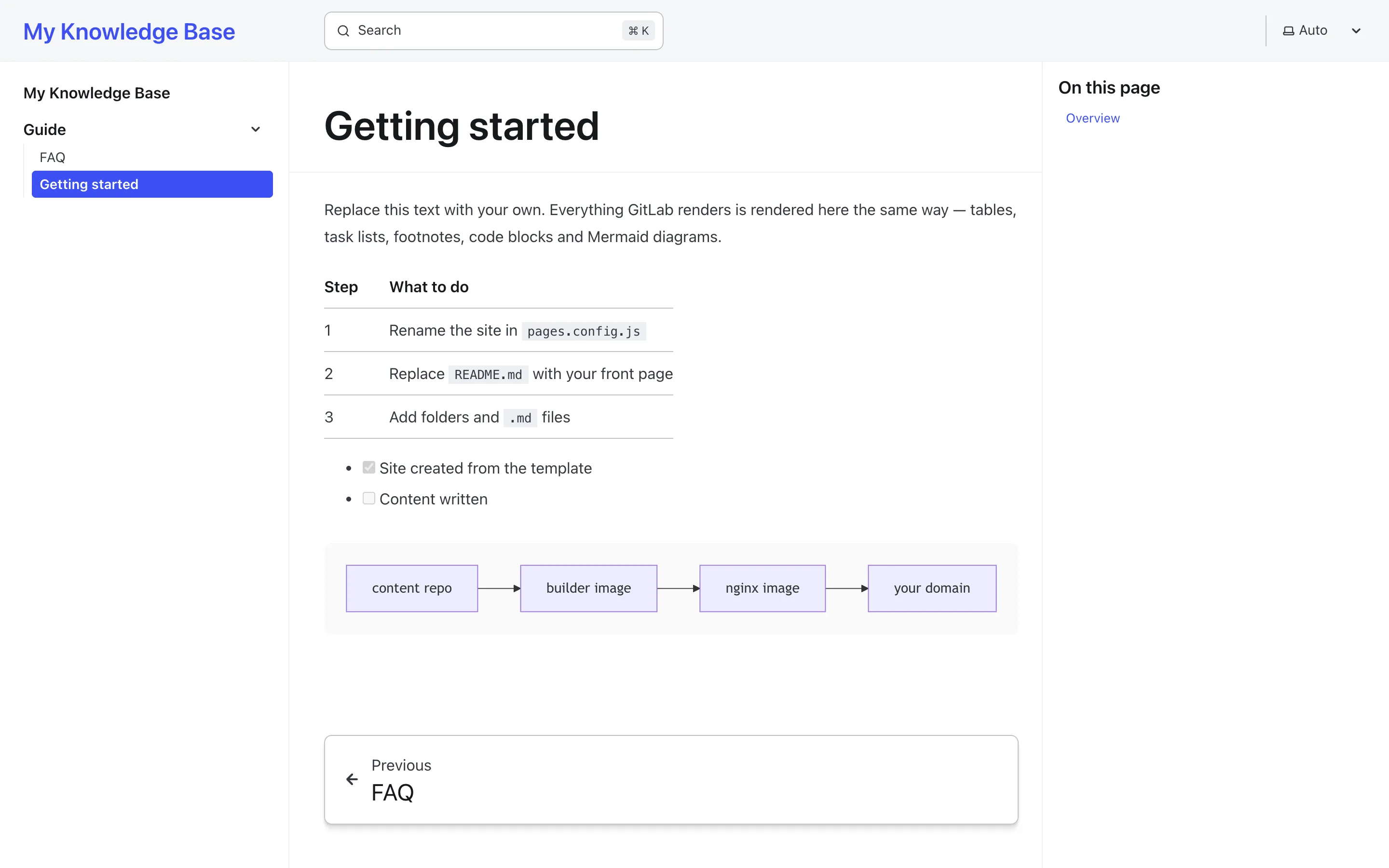
knowledge baseDocumentation, wikis, intranets
The markdown your team already writes in GitLab, published as a website with navigation and full-text search. Clients read the site instead of walking into your repository.
- Plain .md files — no front matter, no rewriting for the web
- A page looks the same in the repository and on the public site
- Publish to the world or keep it intranet behind a password
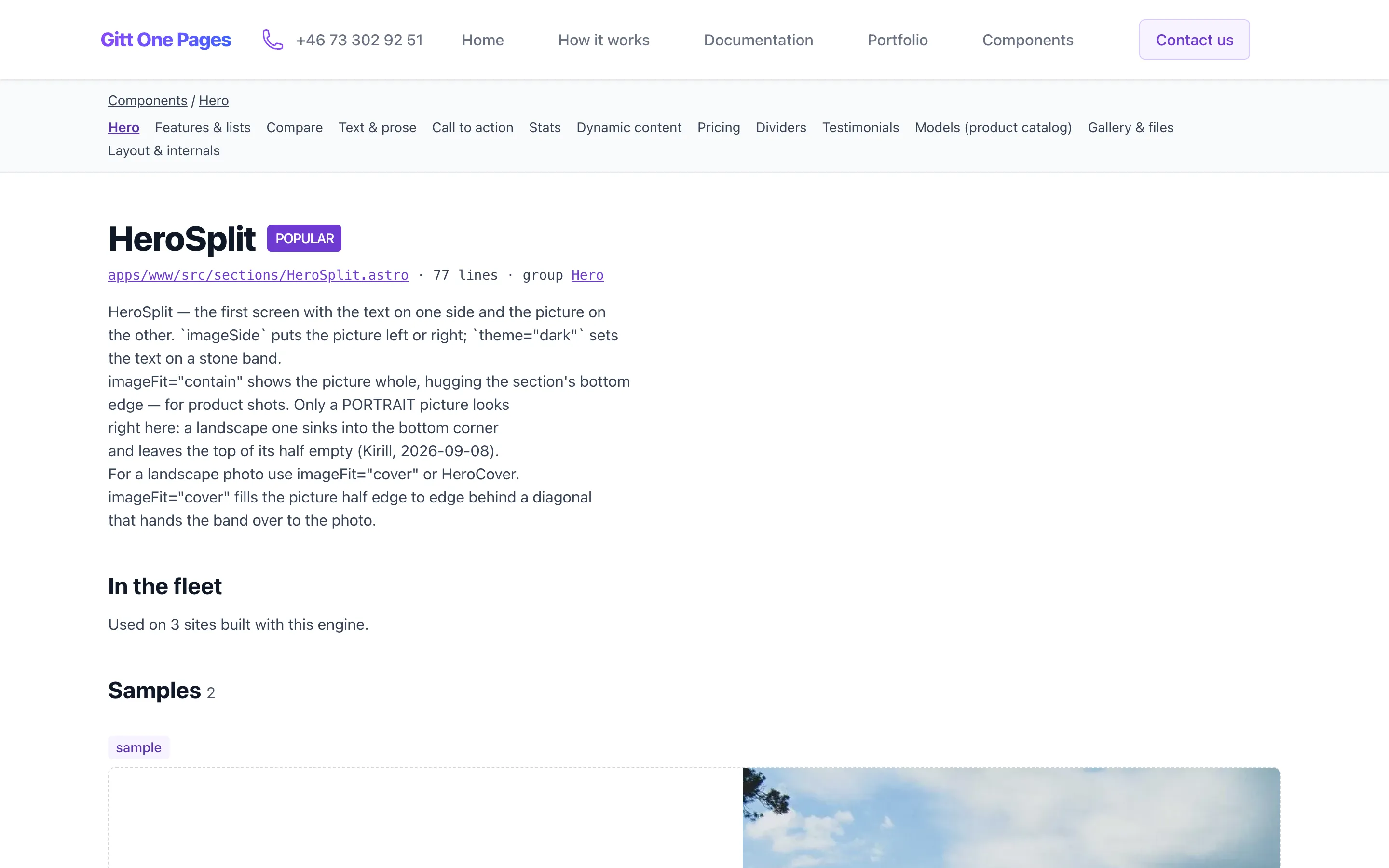
landing pageMarketing sites and product pages
Sites with strictly typed content: the structure is fixed, the copy changes often — and changing it never touches the layout. Sixty ready sections, one brand colour, your text.
- Content written as semantic typed tags, separate from the design
- Edited by a content manager, an AI agent, or both
- One config file per site: title, contacts, logo, languages, menu
WHO IT IS FOR
Three ways a small website goes wrong
Gitt One Pages started as our own production line — we are its first and most demanding user.
If you commission websites
Your site is a hostage: it is built on whatever the studio that made it understands, so leaving means rewriting. The usual escape — a CMS of your own — buys you hosting bills, break-ins and updates.
Here the content is yours in plain files, and the site runs as a standard image on any hosting — including your own.
If you build websites
Every project is a unique artifact. A year later nobody remembers how to build it, the dependencies have rotted, and the developer who knew has left.
One conveyor for every site: the same builder image, the same pipeline, the same quality bar. Knowledge lives in conventions, not in people.
If you write the docs
Knowledge in markdown looks decent only inside GitLab. Handing it to a customer means either an invite to your repository or a website nobody has time to build.
Point a builder image at the repository and the same files become a site. Publishing costs a Dockerfile.
WHAT EVERY SITE GETS
The quality bar is the engine's job, not yours
None of this is set up per project. It comes with the builder image, so the newest site is as good as the best one — and the bar is measured on production, not promised.
- Lighthouse 100
- Performance, accessibility, best practices and SEO — the acceptance target for every site produced, measured on the live address
- Fast because it is static
- Pages are pre-rendered markup with zero JavaScript by default; images are resized and converted at build time, files are pre-compressed and cached properly
- Write it in GitLab, it looks the same on the site
- Tables, task lists, footnotes, code, formulas and Mermaid diagrams render the way GitLab renders them — GitLab's own file view is the preview
- SEO without a plugin
- Sitemap, robots.txt, meta tags, favicon set, canonical addresses and language alternates come out of the build
- Several languages, one repository
- Declare the languages, add a folder or a file per language: each gets its own static pages, a switcher and hreflang links — no detection scripts, no redirects
- Full-text search in knowledge bases
- A search box over every page, built at deploy time and running in the browser — no search server, and it works behind the password too
- A preview for every change
- Any branch gets its own address with a certificate, an exact replica of the future site to discuss before release
- Contact forms and analytics that respect visitors
- A native form with a lightweight spam challenge, and cookieless self-hosted statistics — no consent banner in the way
From a git repository to a live site
A new website is just a new content repository. Time to first site — minutes with the editor, an hour by hand.
Write content
Put your content in a git repository: markdown files for a knowledge base, semantically typed content tags for a landing page — or let the editor write the first draft
Add a tiny Dockerfile
A few lines on top of our standard builder image — no build configs, no toolchain to maintain in your repository. The templates already have it
Push to master
CI builds your content into a ~50 MB nginx image and deploys it — to our Kubernetes clusters or any Docker hosting of yours
Preview, then publish
Edit in the GitLab web editor, in your IDE or in the chat; every draft gets a staging replica of the real site to review before release
The technology inside
Boring, proven building blocks — assembled into a production line
Astro + Tailwind
An open-source content framework that ships zero JavaScript by default, and ready-made design concepts — fonts, spacing, components — instead of a graphic designer on the project
GitLab-flavored Markdown
One rendering engine everywhere: a page looks the same in the repository and on the public site — with Mermaid and PlantUML diagrams
Docker portability
A site is a repository plus a standard image. Hosting is a detail, not a cage — the same image runs on any infrastructure
GitLab UI as the CMS
The web editor and Web IDE are the admin panel: no separate CMS to install, host, update and defend from attacks
CI/CD with previews
Every branch builds an exact replica of the future site on its own address — content managers see real feedback on drafts
AI-ready content
Semantically typed data is a substrate for agents: AI edits and generates content without a programmer and without breaking the build
FOR THE ENGINEERS
The whole build configuration of a site
This is not an excerpt — a content repository really is this small. The builder image carries the framework and its locked dependencies; the runtime image carries the serving rules. Your repository carries content.
Landing page
Content, images and one config file are copied over the examples shipped in the image.
FROM h.gitt.one/pages/engine-astro/builder-www:latest AS builder
RUN rm -rf src/articles/* src/images/* public/assets
COPY articles/ src/articles/
COPY images/ src/images/
COPY pages.config.js ./
RUN pnpm run build

FROM h.gitt.one/pages/engine-astro/nginx:latest
COPY --from=builder /src/apps/www/dist /usr/share/nginx/html
Plus a three-line .gitlab-ci.yml that includes the shared pipeline: push to master deploys, any other branch gets a preview.
Knowledge base
The whole repository is the content; README.md becomes the front page.
FROM h.gitt.one/pages/engine-astro/builder-docs:latest AS builder
RUN rm -rf src/content/docs/* public/assets
COPY . src/content/docs/
COPY pages.config.js ./
RUN pnpm run build

FROM h.gitt.one/pages/engine-astro/nginx:latest
COPY --from=builder /src/apps/docs/dist /usr/share/nginx/html
The same nginx image serves both kinds of site: compression, caching, 404 and an optional password are already inside.
Want to see what happens on every push?
Builder images, the pipeline, the runtime image, previews and the editor — with the actual sources.
Own your website, don't rent it
Most websites are hostages of the studio that built them: leaving means rewriting. Ours are designed for leaving — content in plain typed files that migrate to any CMS, an MIT-licensed engine any developer or AI agent can pick up, and a Docker image that runs anywhere. We measure this honestly as exit time: minutes from git clone to a working local build for a developer who has never seen the project
IN NUMBERS
Industrialized, not handcrafted
Every site produced by the technology shares the same conveyor: the same builder images, the same deployment pipeline, the same quality bar. Knowledge doesn't get lost with a departed contractor — it is encoded in conventions.
OUR MISSION
Industrialize the production of small websites
A landing page or a knowledge base shouldn't be a unique handmade artifact. Content belongs to git; turning it into a fast website is the job of standardized infrastructure. A developer drops markdown files into a repository — and gets a site. A content manager or an AI agent edits semantically marked-up data — and the site updates. No vendor lock-in, no CMS to maintain, no site held hostage.
Our Portfolio

codeexpert.se
Corporate website of Scandinavian Code Expert AB — a Swedish software development company.
codeexpert.se
itgrows.today
Product website of IT Grows — AI chatbots and business automation — with a bilingual blog.
https://itgrows.today/en/
posexpert.se
Landing page of POS Expert — custom software for POS terminals and payment processing.
https://posexpert.se/Ready to get started?Get in touch or create your website.
Contact with us
Please, leave your contacts or write/call us directly
- Phone number
- +46733029251
- ask@codeexpert.se